Slack
FreemiumTeam communication platform with messaging, channels, integrations and automations to centralize collaboration.
At a glance
Team communication platform with messaging, channels, integrations and automations to centralize collaboration. Price : Free then from $7.25/month. Rating : 4.5/5.
Try SlackCategory
Productivity
Pricing
Free then from $7.25/month
Rating
4.5/5
Status
Verified ✓
Preview
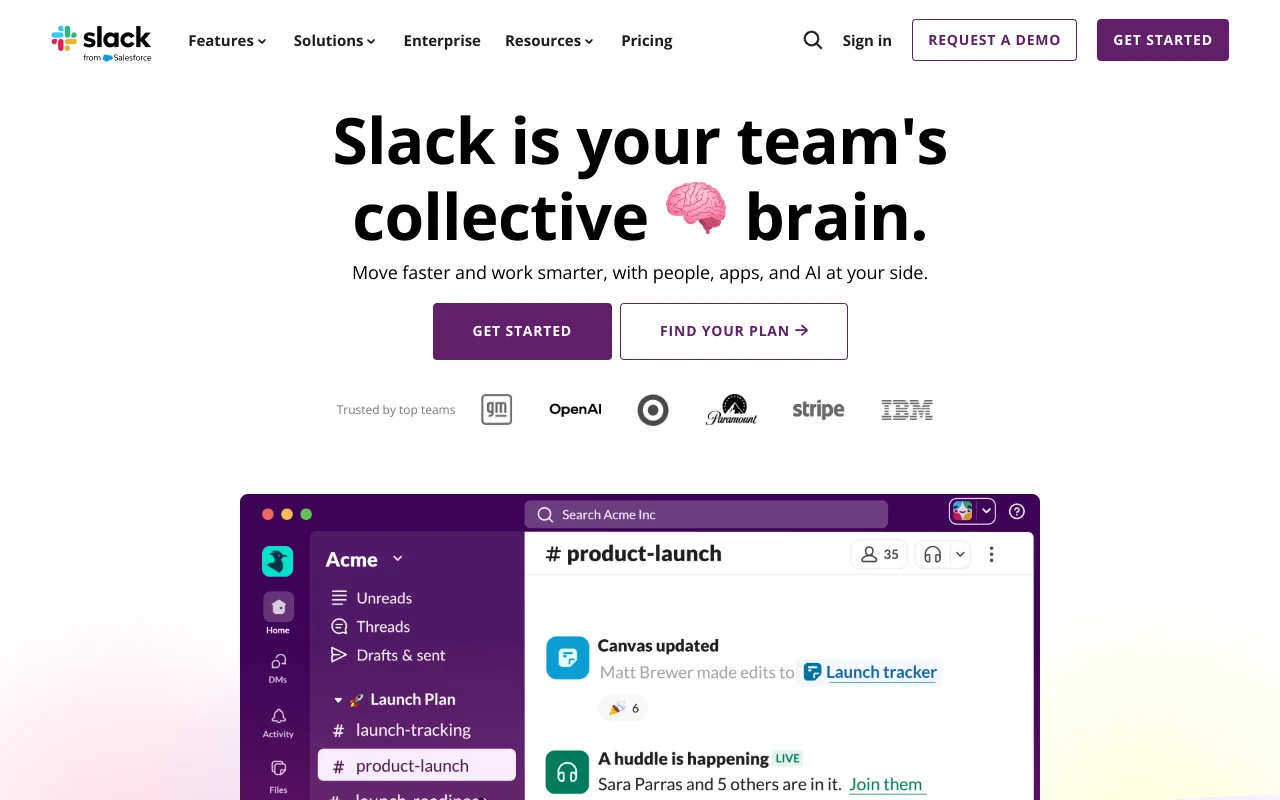
What is Slack?
Slack is a professional communication and collaboration platform owned by Salesforce since 2021. Used by over 20 million daily active users, it centralizes team exchanges through thematic channels, instant messaging, audio/video calls (Huddles), file sharing, and workflow automation.
Founded in 2013, Slack has transformed from a simple messaging tool into a productivity platform integrating artificial intelligence (Slack AI), project management (Lists, Canvas) and an ecosystem of over 2,600 integrations. The tool has become the "central nervous system" of digital work for many enterprises.
Main Features
Channels and organized messaging
Structured communication via public and private channels, discussion threads, and direct messages. Slack Connect enables collaboration with external partners in shared channels, eliminating the chaos of inter-company emails.
Huddles: instant audio and video
Audio and video calls directly from a channel or conversation, with screen sharing and real-time captions. Up to 50 participants, ideal for quick meetings without leaving Slack.
Slack AI
Automatic summaries of channels and discussion threads, daily recaps, Huddles notes, message translation and intelligent search. AI allows you to catch up on missed conversations in seconds.
Canvas and Lists
Integrated project management tools: Canvas for real-time collaborative creation of rich documents, and Lists for project tracking with kanban views. No need to leave Slack to organize work.
Workflow Builder
No-code automation of repetitive processes: forms, approvals, conditional notifications. Business+ plans add AI steps and advanced conditional branching.
Agentic platform
Over 2,600 third-party applications, an open API and a platform for deploying AI agents (Agentforce via Salesforce). 550,000+ custom integrations are used daily worldwide.
Integrations
Slack has one of the richest integration ecosystems on the market:
- Productivity: Google Workspace, Microsoft 365, Notion, Dropbox, Box
- Project management: Asana, Trello, Jira, Monday.com, ClickUp
- CRM: Salesforce (deep native integration), HubSpot
- Video conferencing: Zoom, Google Meet, Microsoft Teams
- Development: GitHub, GitLab, Bitbucket, PagerDuty
- Automation: Zapier (7,000+ apps), Make, IFTTT
- Customer support: Zendesk, Intercom, Freshdesk
- Total: 2,600+ apps in the Slack App Directory
Pricing
Prices below are for annual billing:
- Free — $0: 90-day history, max 10 integrations, 1:1 Huddles only, 5 GB storage
- Pro — $6.75/user/month: unlimited history, unlimited integrations, group Huddles (50 people), Canvas, Lists, Workflow Builder, Slack Connect, 24/7 support
- Business+ — $15/user/month: everything in Pro + Slack AI (summaries, translation, AI search), SAML SSO, data residency, exports, 4-hour response support
- Enterprise Grid — custom pricing: everything in Business+ + unlimited workspaces, HIPAA compliance, DLP, audit logs, 24/7 priority support
Monthly billing is approximately 20% more expensive. The most advanced Slack AI features require the Business+ plan.
Strengths
- Intuitive and pleasant interface — onboarding in less than 2 minutes, clean design and smooth navigation
- Exemplary conversation organization via channels and threads, eliminating email chaos
- Unmatched integration ecosystem with 2,600+ third-party applications
- Powerful search to find messages, files and people across entire history
- Enriched collaboration: Huddles for quick calls, Canvas for documents, Clips for asynchronous videos
- Workflow Builder accessible even to non-technical users for process automation
- Increasingly powerful Slack AI for conversation summaries and daily recaps
- Strong security and compliance: encryption, 2FA, SSO, GDPR, SOC 2 certifications
Weaknesses
- Pricing increases quickly with team size — at $6.75/user/month, 100 people costs $675/month
- Free plan very limited: only 90 days of history, max 10 integrations, no group Huddles
- Huddles capped at 50 participants, no recording, captions only in English
- Notification overload in active organizations with many channels — source of distraction
- Slack AI restricted to Business+ plan at $15/user/month — not available on Pro
- Microsoft Teams is often included free with Microsoft 365 licenses, making Slack harder to justify
Our Opinion
Slack remains the undisputed leader in team communication in 2026, especially for distributed and hybrid teams. Its strength: flawless UX, massive integration ecosystem and the ability to become the central hub of digital work. The addition of Slack AI and project management tools (Canvas, Lists) transforms it into a complete productivity platform.
The main barrier remains cost, especially against Microsoft Teams included in existing licenses. Slack is fully justified for organizations that leverage its integration ecosystem, need Slack Connect to collaborate with partners, or are in the Salesforce ecosystem.
Average rating: 4.5/5 — based on Capterra reviews (4.7/5), G2 (4.5/5) and TrustRadius (9/10).
Frequently Asked Questions
Is Slack really free?
The free plan is permanent but limited: 90 days of history, 10 integrations, no group Huddles, 5 GB storage and no support. Sufficient for testing, but most teams will need to upgrade to the Pro plan for professional use.
Can Slack replace email in business?
Slack significantly reduces internal email volume (about 30% according to Slack), but doesn't completely replace email. External and formal communications still require email. Slack is complementary: it handles quick communication, email handles formal exchanges.
Slack or Microsoft Teams?
Teams is often included with Microsoft 365, making it "free" for many companies. Slack excels in UX, third-party integrations and inter-company collaboration (Slack Connect). Teams is more comprehensive for video conferencing and integrates better with the Microsoft ecosystem. The choice depends on your existing stack.
Updated on March 19, 2026

Elliot Tram
Founder, GTM Stack
Passionate about growth and SaaS tools, I help GTM teams build an efficient stack without unnecessary complexity.
Follow on XOther tools in Productivity
Asana
★ 4.3/5Work management and project management platform for coordinating teams, tracking tasks, and achieving objectives.
Notion
★ 4.6/5All-in-one workspace combining notes, docs, wikis, projects, and databases with integrated AI.
Gamma
★ 3.7/5AI-assisted presentation and visual document creation tool. Modern alternative to PowerPoint for sales and marketing teams.
Latest tools listed
Descript
★ 4.5/5All-in-one video and audio editor with AI transcription. Edit your podcasts and videos by editing text — like Google Docs for video.
Reviewflowz
★ 4.1/5Customer review management tool that allows you to collect, monitor, and respond to reviews across all platforms to improve your online reputation.
SocialBee
★ 4.3/5Social media management and planning tool with content categorization and automatic post recycling. Multi-platform support.