Webflow
Freemium⭐ FeaturedNo-code website creation platform with professional-grade design control. Integrated CMS, native e-commerce, ultra-fast AWS hosting and clean code export.
At a glance
No-code website creation platform with professional-grade design control. Integrated CMS, native e-commerce, ultra-fast AWS hosting and clean code export. Price : Free (starter) · Basic $14/month · CMS $23/month · Business $39/month. Rating : 4.5/5.
Try WebflowCategory
Website
Pricing
Free (starter) · Basic $14/month · CMS $23/month · Business $39/month
Rating
4.5/5
Status
Verified ✓
Preview
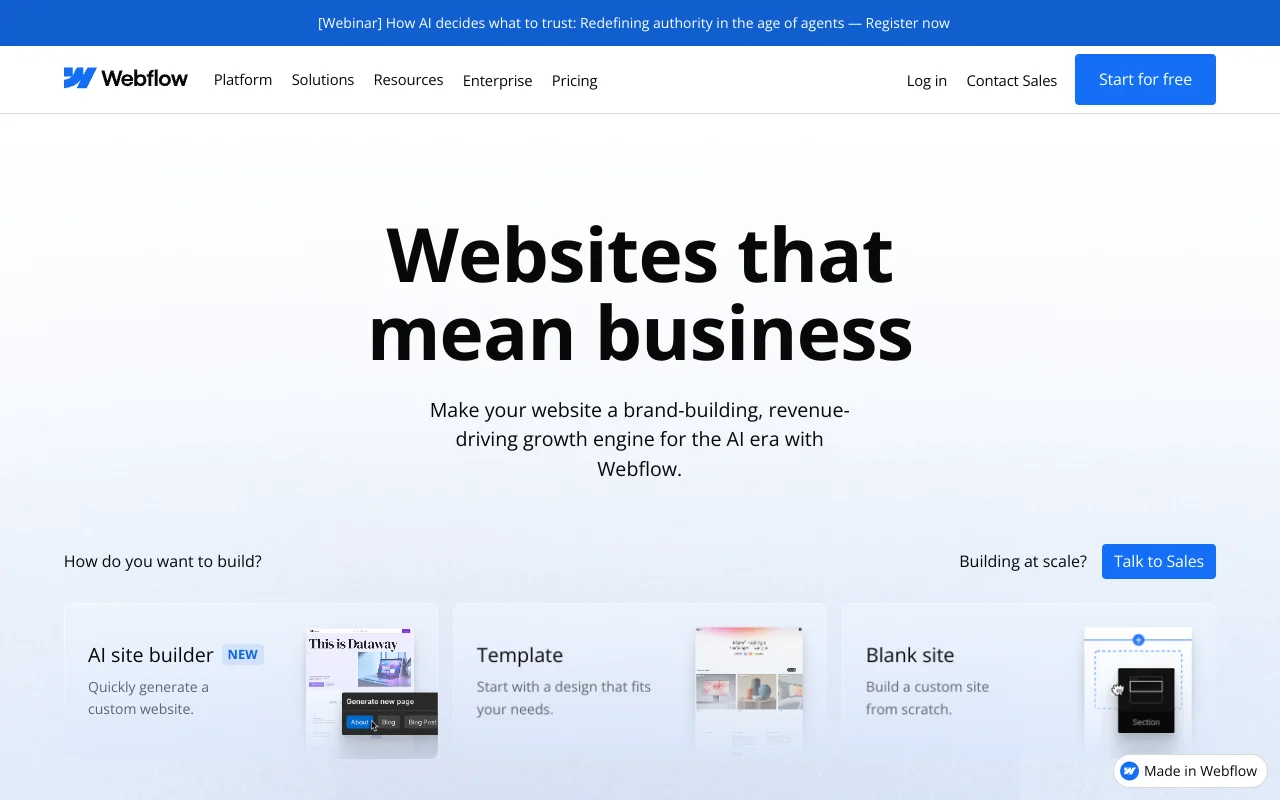
Tired of wrestling with WordPress to make a site that actually looks good? You're not alone. Since 2013, Webflow has convinced over 3.5 million users that you can build a professional site without writing a single line of code. And without tearing your hair out over plugins that break everything.
But is it really the miracle solution everyone describes? We tested it. We dug deep. Here's our honest opinion.
What exactly is Webflow?
Webflow is a visual website builder. You design in the browser. HTML, CSS and JavaScript code generate automatically behind the scenes. Clean, semantic code—not the usual page builder mess.
Founded in 2013 by Vlad Magdalin, Webflow started from a simple frustration: why do you need a developer for every site change? Thirteen years later, Webflow's answer still holds. The tool combines three things in one: a visual builder, integrated CMS, and included hosting.
On the technical side, your sites run on AWS with a Fastly CDN. Translation: it's fast. Very fast. SSL is included, security is ISO 27018 certified. You don't have to configure anything.
Think of Webflow as a Figma that publishes directly online. You move elements, adjust margins, create animations. And the result is a real website, not a mockup.
Who is Webflow for?
Let's be clear: Webflow isn't for everyone. And that's precisely its strength.
If you're a designer or freelancer, it's probably the best tool on the market. You control every pixel. You're not limited by rigid templates. Your clients can edit content without breaking anything thanks to the integrated editor.
If you're a startup or small business wanting a portfolio or marketing site, Webflow is formidable. Landing pages, blogs, product pages: everything builds fast and looks professional.
If you're a web agency, the Webflow Partners program gives you access to preferential rates and a client dashboard. Over 220,000 paying customers use the platform. The ecosystem is mature.
On the other hand, if you want a simple personal blog or an e-commerce store with 500 products, look elsewhere. Webflow can do it, but it's not its natural playground.
The features that make the difference
We're not going to list 47 features. Let's focus on what really matters.
The visual Designer. This is Webflow's heart. You manipulate CSS properties directly through a visual interface. Flexbox, Grid, positioning, animations: everything is accessible. The learning curve is real (we'll get back to it), but once mastered, you'll work faster than coding by hand.
The integrated CMS. You create collections (articles, projects, case studies) and design templates visually. No shortcodes. No plugins. Your clients edit content through a simplified editor, without accessing the design.
Interactions and animations. This is where Webflow crushes the competition. Scroll animations, transitions, micro-interactions: everything configures visually. The result? Sites that look like they cost $50,000 to develop.
Exportable code. A detail that changes everything: you can export your site's code. HTML, CSS, JS—all clean. If you ever leave Webflow, you don't start from scratch. This is rare in the industry and deserves to be highlighted.
Webflow University. Webflow's free learning resource is exceptional. Hundreds of videos, structured courses, production quality worthy of Netflix. Seriously, it's one of the best web training resources we've seen across all tools.
Around 500 templates are available. Many are free. Premium ones range from $19 to $129. They're generally high quality and fully customizable (unlike some WordPress themes where you battle the original developer's code).
Webflow vs WordPress: the real comparison
This is THE question everyone asks. And the answer isn't what you expect.
WordPress powers 43% of the web. That's a fact. But this statistic masks a reality: the majority of these sites are blogs, basic portfolio sites, or abandoned projects. WordPress is a generalist tool. Webflow is a specialist tool.
On design, Webflow wins. No debate. You get pixel-perfect control without touching code. On WordPress, you either accept a page builder's limitations (Elementor, Divi) or code a custom theme.
On security, Webflow wins too. No plugins to update. No PHP vulnerabilities. No exposed SQL database. Webflow handles everything server-side. You sleep soundly.
On performance, Webflow has the advantage by default. A Webflow site comes out clean, fast, optimized. A WordPress site can be fast, but you have to work at it: caching, image optimization, code minification, hosting choice. It's work.
On flexibility and ecosystem, WordPress wins. 60,000 plugins. Solutions for everything. Complex e-commerce with WooCommerce, membership, LMS, forums. The WordPress ecosystem is gigantic. Webflow can't compete on this terrain.
On SEO, it's nearly equal. Webflow generates clean semantic code. You control title tags, meta descriptions, URLs, sitemaps. WordPress with Yoast or RankMath does the same. Tie.
Our summary: if your priority is design and fast go-live, choose Webflow. If you need a rich plugin ecosystem or complex e-commerce, choose WordPress. Don't let anyone tell you one is objectively better. It depends on your project.
What about other competitors? Wix is simpler but much more limited. Squarespace is beautiful but rigid. Framer is rising and deserves watching, especially for landing pages. But none offer Webflow's combination of design + CMS + hosting.
How much does Webflow cost in 2026?
Let's talk money. Because that's often where it pinches.
Webflow offers a free plan (Starter) that lets you build and prototype. You can't connect a custom domain, but it's enough to test the tool or build a portfolio on a webflow.io subdomain.
Site plans (annual pricing):
- Basic: $14/month. Static site, custom domain, 25,000 visits/month. Perfect for a simple portfolio site.
- CMS: $23/month. Adds CMS with 2,000 items. The sweet spot for most projects.
- Business: $39/month. 10,000 CMS items, 100,000 visits. For sites with lots of content.
- Enterprise: custom pricing. For large teams with specific needs.
For e-commerce:
- Standard: $29/month with a 2% transaction commission. Ouch.
- Plus: $74/month, 0% commission. This is the minimum viable plan for a real store.
- Advanced: $212/month. For high volumes.
And there are add-ons. Optimize (A/B testing) at $299/month. Honestly, that's expensive. Very expensive. For A/B testing, alternatives like Google Optimize (free) or VWO do the job. Analyze at $9/month is more reasonable. Localization (multilingual sites) ranges from $9 to $29/month depending on the plan.
The honest math? For a portfolio site with CMS and custom domain, expect around $23/month ($276/year). That's more than basic WordPress on shared hosting. But you save on maintenance, plugins, and often on a developer. Total cost of ownership is comparable, or even lower.
Limitations to know before getting started
We won't sell you a dream. Webflow has flaws. And some are deal-breakers depending on your project.
The learning curve. This is problem number one. Webflow isn't Wix. You don't drag blocks onto a page. You manipulate real CSS concepts (flexbox, grid, position). If you have no web design background, the first hours will be frustrating. Webflow University helps a lot, but expect one to two weeks to get comfortable.
Limited e-commerce. If you sell physical products with complex variants, subscriptions, or need advanced inventory management, Webflow isn't ready. Shopify remains king on this terrain. Webflow e-commerce suits simple stores (under 100 products, few variants).
Capped CMS. 10,000 items maximum on the Business plan. If you manage a directory of 50,000 entries or a site with hundreds of thousands of pages, this isn't the tool. Relationships between collections are also more limited than a true headless CMS.
No native apps. WordPress has 60,000 plugins. Webflow has a growing apps marketplace, but it's nowhere close. Need advanced forms? A booking system? A membership area? You'll often need third-party tools (Memberstack, Jetboost, Finsweet) and integrations via Zapier or Make.
Complicated multilingue. The Localization add-on exists, but it's not as mature as WPML or Weglot on WordPress. If your site needs to exist in 5 languages with different content per market, expect some friction.
Platform dependency. Yes, you can export the code. But the export doesn't cover the CMS or interactions. If Webflow closes tomorrow (unlikely given their size, but still), you get the static HTML/CSS back. Not the full dynamic site.
Our verdict
Webflow deserves its reputation. On Capterra, the tool shows 4.5/5 on 263 reviews. On G2, it's 4.4/5 on 942 reviews. That's no accident.
For a portfolio site, marketing site, or digital presence, it's one of the best tools available in 2026. The level of design control is unmatched in the no-code category. Performance is excellent by default. Security is managed for you.
We recommend Webflow if you check at least two of these boxes: you want custom design, you hate technical maintenance, you work in a design + marketing team, or you're a freelancer/agency looking for an efficient production tool.
We don't recommend Webflow if you need complex e-commerce, advanced multilingual capabilities, or if your budget is tight and a basic WordPress + $5/month hosting meets your needs.
The best advice we can give you: create a free account. Go through the first modules of Webflow University. Within a few hours, you'll know if the tool is right for you. No need to pull out your credit card for that.
Frequently asked questions
Is Webflow really free?
Yes and no. The Starter plan is free and lets you build complete sites. You can design, prototype, and even publish on a webflow.io subdomain. But to connect your own domain name and remove the Webflow badge, you need to upgrade to a paid plan starting at $14/month. For testing the tool and learning, the free plan is more than sufficient.
Do you need to know how to code to use Webflow?
No, but you need to understand web design basics. Webflow uses CSS concepts (margins, padding, flexbox, grid). You don't type code, but you need to understand how web layout works. If "flexbox" and "responsive" are completely foreign words, start with Webflow University. The courses are free and very well done.
Is Webflow good for SEO?
Yes. Webflow generates clean, semantic HTML code. You have full control over title tags, meta descriptions, URLs, image alt tags, XML sitemaps, and robots.txt. Performance (Core Web Vitals) is generally good thanks to AWS hosting + Fastly CDN. Technical SEO is solid. After that, ranking depends mainly on your content and strategy, not the tool.
Can you migrate a WordPress site to Webflow?
It's possible but not automatic. There's no "import from WordPress" button. You'll need to recreate the design in Webflow and migrate content manually or via CSV for the CMS. For a blog with 50 articles, it's doable in a few days. For a site with 5,000 pages, it's a real project. Evaluate the cost-benefit carefully before diving in.
Is Webflow suitable for an e-commerce site?
For a small store with a simple catalog (under 100 products, few variants), yes. The design will be beautiful and the shopping experience smooth. But watch the commissions: 2% on the $29/month Standard plan. The $74/month Plus plan removes the commission. For serious e-commerce with advanced inventory, complex variants, or subscriptions, Shopify is better suited.
How long does it take to learn Webflow?
Allow one to two weeks of regular practice to get comfortable with basics. If you already have CSS knowledge, it'll be faster (a few days). To master advanced interactions and CMS, add another two to three weeks. Webflow University is your best ally: courses are structured, progressive, and free. We know designers who became productive in under 10 hours of training.
Updated on March 16, 2026

Elliot Tram
Founder, GTM Stack
Passionate about growth and SaaS tools, I help GTM teams build an efficient stack without unnecessary complexity.
Follow on XOther tools in Website
Leadpages
★ 3.8/5Landing page and website creation tool optimized for conversion. High-performing templates, A/B testing and marketing integrations included.
Framer
★ 4.3/5Design-first website creation tool with advanced animations, integrated CMS, and optimal performance without code.
Unbounce
★ 4.1/5Landing page creation platform optimized for conversion with A/B testing and personalization to maximize your marketing campaigns.
Latest tools listed
Descript
★ 4.5/5All-in-one video and audio editor with AI transcription. Edit your podcasts and videos by editing text — like Google Docs for video.
Reviewflowz
★ 4.1/5Customer review management tool that allows you to collect, monitor, and respond to reviews across all platforms to improve your online reputation.
SocialBee
★ 4.3/5Social media management and planning tool with content categorization and automatic post recycling. Multi-platform support.