Notion
FreemiumAll-in-one workspace combining notes, docs, wikis, projects, and databases with integrated AI.
At a glance
All-in-one workspace combining notes, docs, wikis, projects, and databases with integrated AI. Price : Free then starting from $8/month. Rating : 4.6/5.
Try NotionCategory
Productivity
Pricing
Free then starting from $8/month
Rating
4.6/5
Status
Verified ✓
Preview
What is Notion?
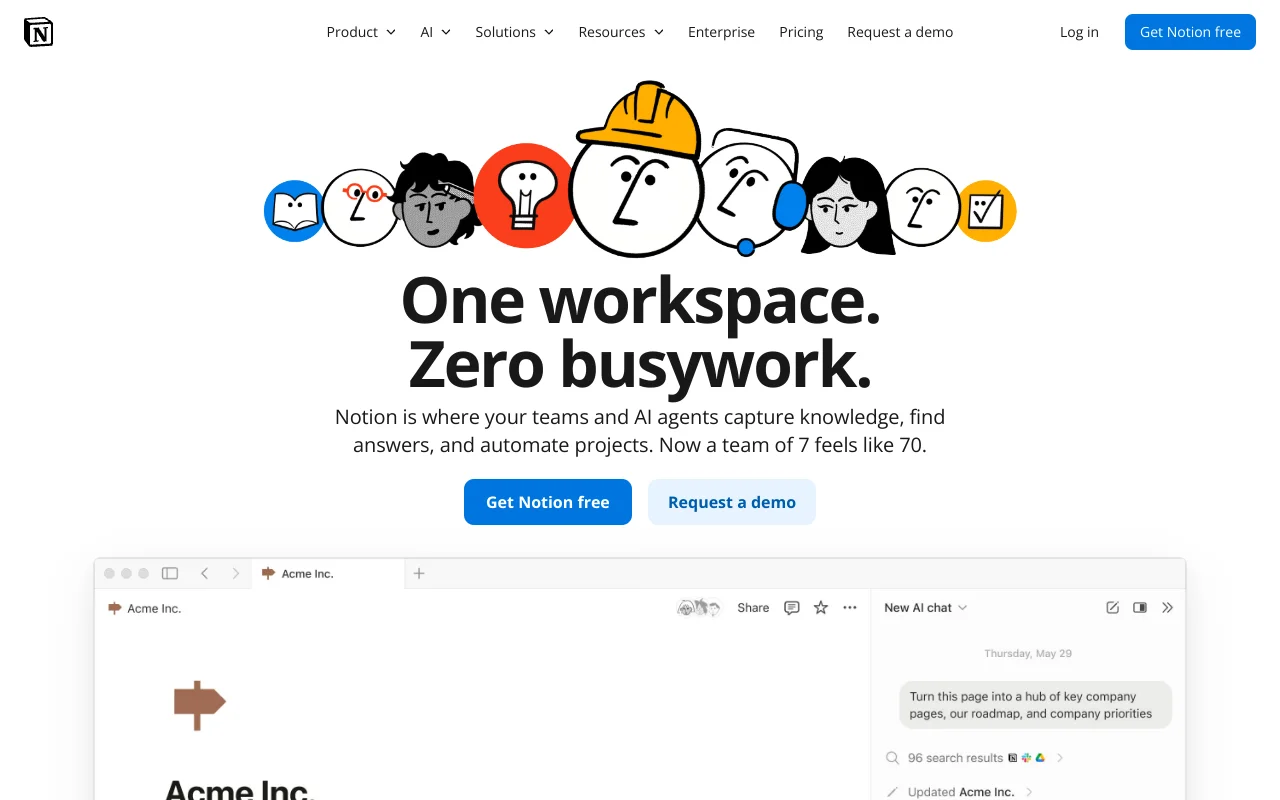
Notion is an AI-powered all-in-one workspace that lets you centralize notes, documents, databases, projects, and wikis in a single modular interface. Used by over 100 million users and 62% of Fortune 100 companies, Notion replaces multiple tools (Google Docs, Trello, Confluence, Evernote) thanks to its flexible block system.
The platform now integrates autonomous AI agents, cross-application enterprise search, a built-in calendar, and even email messaging (Notion Mail). Its modular approach makes it the most versatile productivity tool on the market.
Key Features
Modular Block Editor
The heart of Notion: pages built by assembling blocks (text, images, databases, embeds, code, toggles, callouts). Ultra-flexible drag-and-drop lets you create any document type, from simple memos to complete enterprise wikis.
Relational Databases
Multiple views (table, kanban, timeline/Gantt, calendar, gallery, chart, form), custom properties, filters, sorts, formulas, relations between databases and rollups. A quasi-spreadsheet approach with the ease of a no-code interface.
Notion AI and Custom Agents
Built-in AI assistant for writing, translation, automatic database filling, and formula generation. Custom Agents execute multi-step tasks autonomously. Search mode explores topics in depth.
Enterprise Search
Unified search across all Notion pages plus Slack, Google Drive, GitHub, and connected applications. Find answers without switching tools.
Notion Calendar and Notion Mail
Built-in calendar with availability management and team scheduling. Email messaging with AI for sorting and smart inbox management.
Automations and Notion Sites
Action buttons, database automations, and webhooks. Publish pages as websites with custom domains (notion.site).
Integrations
Notion connects to essential tools:
- Productivity: Slack, Google Drive, GitHub, GitLab, Figma, Miro
- Project Management: Jira, Asana, Trello (native import)
- AI: Connectors for Google Drive, Linear, Salesforce powering enterprise search
- Automation: Zapier, Make, Tray.io, IFTTT (5,000+ apps)
- Security: Panther, Splunk, Datadog, Nightfall AI
- Import from: Asana, Confluence, Monday.com, Trello, Evernote
- 100+ native integrations in the official directory
Pricing
Prices below are for annual billing:
- Free — $0: unlimited pages and blocks (personal use), 5 MB file upload, 7-day history, 10 guests, AI trial
- Plus — $9.50/user/month: unlimited upload, 30-day history, unlimited guests, 1 notion.site domain
- Business — $19.50/user/month: Notion Agent, AI Meeting Notes, Enterprise Search (beta), SAML SSO, private spaces, 90-day history
- Enterprise — Custom pricing: zero AI data retention, SCIM, audit logs, HIPAA, SOC 2 Type 2, ISO 27001, dedicated CSM
Notion AI add-on: $9.50/month or $90/year. Custom Agents: free in beta until May 2026, then $10/1,000 credits.
Strengths
- Extreme flexibility: the block system adapts to any workflow, from memos to enterprise wikis
- True all-in-one: replaces notes, wikis, project managers, calendar, and email
- Deeply integrated AI: document generation, autonomous agents, meeting summaries
- Generous free plan: unlimited pages and blocks for personal use
- Powerful relational databases with 8 view types and advanced formulas
- Real-time collaboration with simultaneous editing, comments, and mentions
- Ecosystem of thousands of templates to get started quickly
- Cross-platform: Web, Mac, Windows, iOS, Android with full sync
Weaknesses
- Steep learning curve: flexibility comes at a cost, databases and relations require time to master
- Performance decline on large databases and heavily loaded workspaces
- Limited offline mode: without internet, usage is severely restricted
- Not a specialized tool: doesn't replace true Jira, true Excel, or true CRM for advanced use cases
- 5 MB upload limit per file on free plan, constraining for teams
- No password protection for individual pages
Our Verdict
Notion is the most versatile productivity tool on the market in 2026. Its ability to adapt to virtually any workflow — from note-taking to project management to enterprise wikis — is unmatched. The integration of autonomous AI agents and enterprise search positions it ahead of Coda or Confluence.
This versatility comes at the cost of a steep learning curve and sometimes disappointing performance at scale. Notion is ideal for startups, creative teams, and SMBs wanting to consolidate their tools. Large enterprises with specialized needs (ticket management, financial reporting) will need complementary tools.
Average rating: 4.5/5 — based on G2 reviews (4.7/5), Capterra (4.7/5), and Product Hunt.
Frequently Asked Questions
Is Notion really free?
The Free plan offers unlimited pages and blocks for personal use. Limitations apply to file size (5 MB), history (7 days), and guests (10). For teams, the Plus plan at $9.50/month/user is required.
Can Notion replace Trello or Asana?
For small to medium teams, yes. Databases with kanban, timeline, and calendar views efficiently manage projects. For technical teams with complex sprints and multi-project reporting, Jira remains superior.
How does Notion AI work?
Notion AI generates content, summarizes pages, fills databases, and translates text. The Free plan includes a limited trial. The add-on costs $9.50/month. Custom Agents, capable of autonomous tasks, are free in beta until May 2026.
Updated on March 19, 2026

Elliot Tram
Founder, GTM Stack
Passionate about growth and SaaS tools, I help GTM teams build an efficient stack without unnecessary complexity.
Follow on XOther tools in Productivity
Asana
★ 4.3/5Work management and project management platform for coordinating teams, tracking tasks, and achieving objectives.
Slack
★ 4.5/5Team communication platform with messaging, channels, integrations and automations to centralize collaboration.
Gamma
★ 3.7/5AI-assisted presentation and visual document creation tool. Modern alternative to PowerPoint for sales and marketing teams.
Latest tools listed
Descript
★ 4.5/5All-in-one video and audio editor with AI transcription. Edit your podcasts and videos by editing text — like Google Docs for video.
Reviewflowz
★ 4.1/5Customer review management tool that allows you to collect, monitor, and respond to reviews across all platforms to improve your online reputation.
SocialBee
★ 4.3/5Social media management and planning tool with content categorization and automatic post recycling. Multi-platform support.